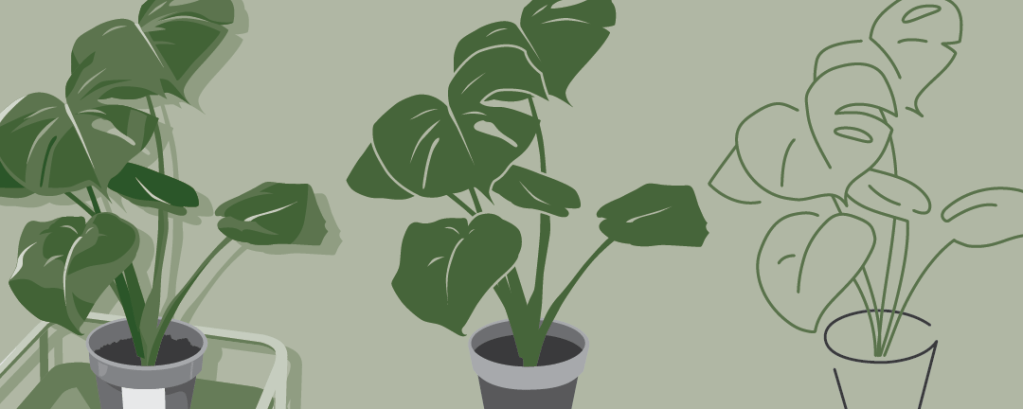

Introduction
My goal for this assignment was to simplify my image by abstracting it to the essentials, only keeping the features that keep it distinguishable and getting rid of noise.
Thought progress
My thought process over the stages are as follows. (Note that this is for the critique submission version.)
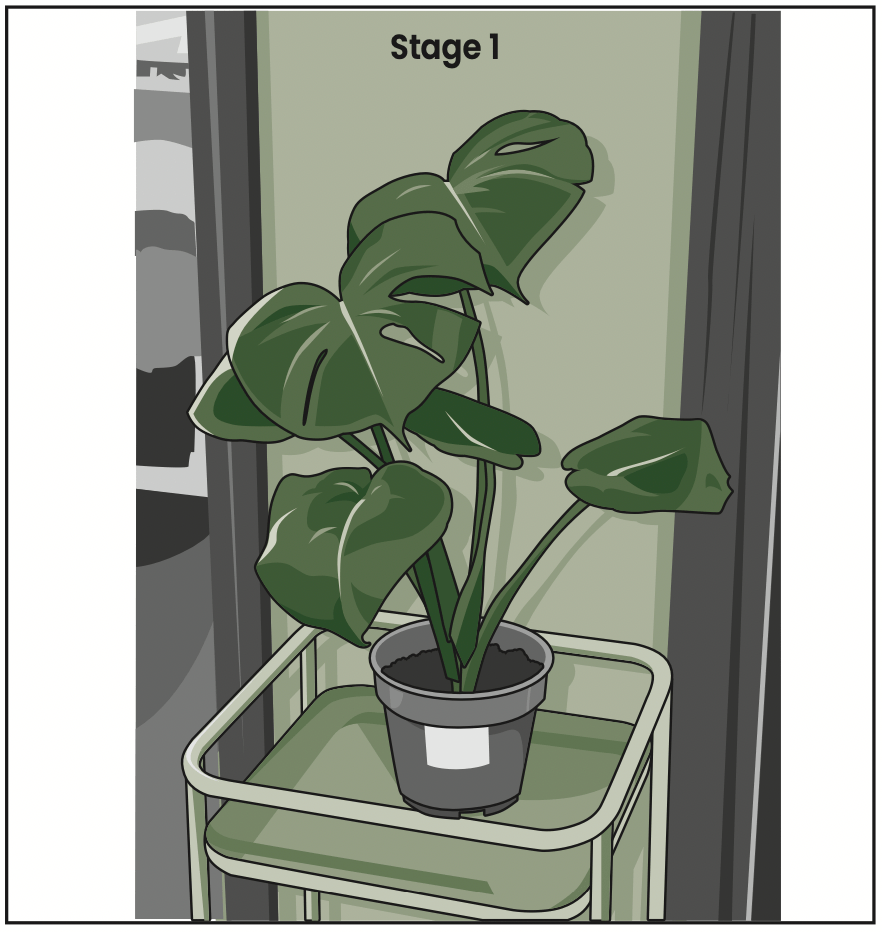
In stage 1, I tried to keep the design as detailed as I could, focusing on textures and lighting. I used the Pen tool to trace the outline of the monstera plant, conserving the imperfections of the leaf shapes. I added cell shading to emphasise the soft texture of the leaves, the smooth surface of the pot and stand, and the wooden texture of the wooden door frames in the background.

In stage 2, I removed the line art, background and cell shading. I maintained the sense of depth by colouring the leaves in different shades of green, but now each leaf is one flat colour each. I also simplified the details on the pot.

In stage 3, I made the whole plant the same shade of green, and added negative space around the leaves to maintain the silhouettes. I also decided to remove the plant stand since it was not the main focus of the picture.

In stage 4, I simplified the shapes. I smoothened the outline of the leaves and pots, and removed almost all the stem and line details on the leaves.
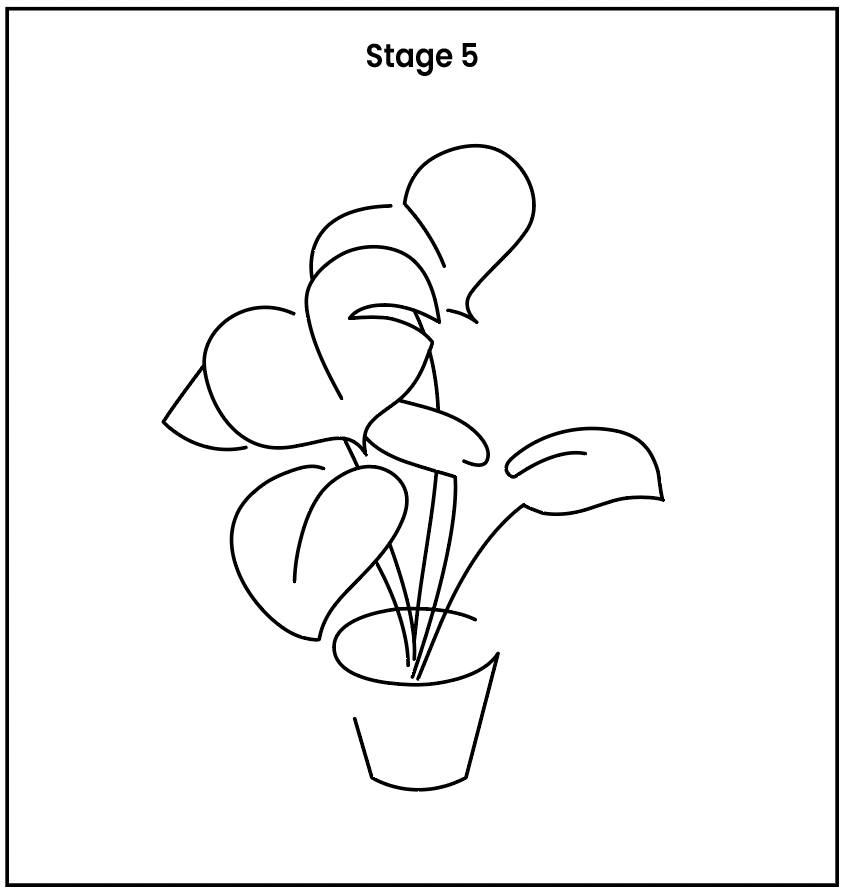
In stage 5, I opted for a full line art style to really put the abstraction to the test. I traced the silhouette from stage 4, focusing only on the parts that defined the plant’s shape. I left some gaps in the tracing, to add a more stylized look.
Feedback from critique
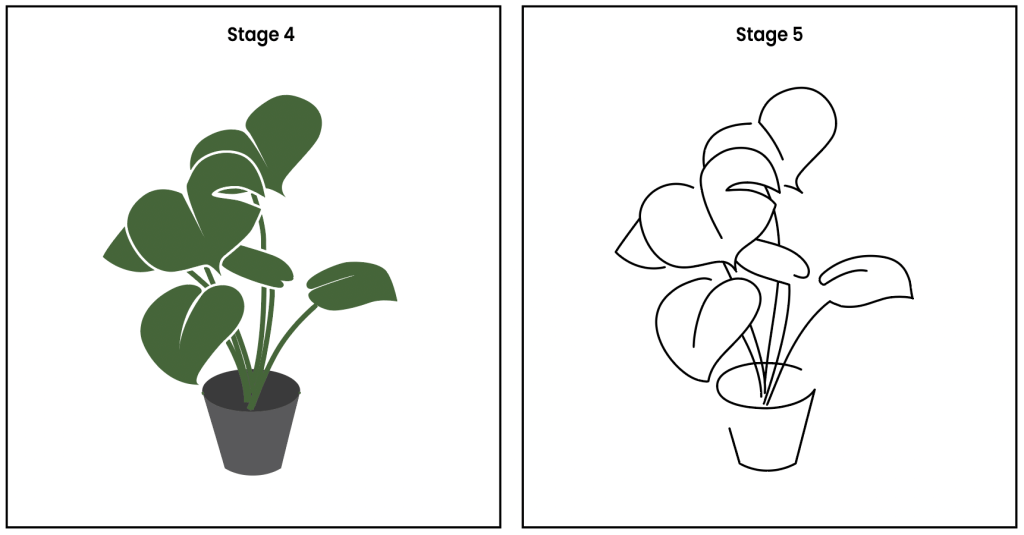
One comment from my peers was that the jump from stage 4 to 5 was a little too drastic. Another comment from my peers was that it was not very apparent that this is supposed to be a monstera plant, it looks like a bunch of heart shapes.
A comment from Prof Kai was that the silhouette could be clearer if the intersecting lines were cleaned up with the Scissor tool. Another comment from Prof Kai was that a green tint on the line art could help viewers better identify this to be a plant.
Improvements since critique
With those comments in mind, I made changes for stage 4 and 5 as follows.
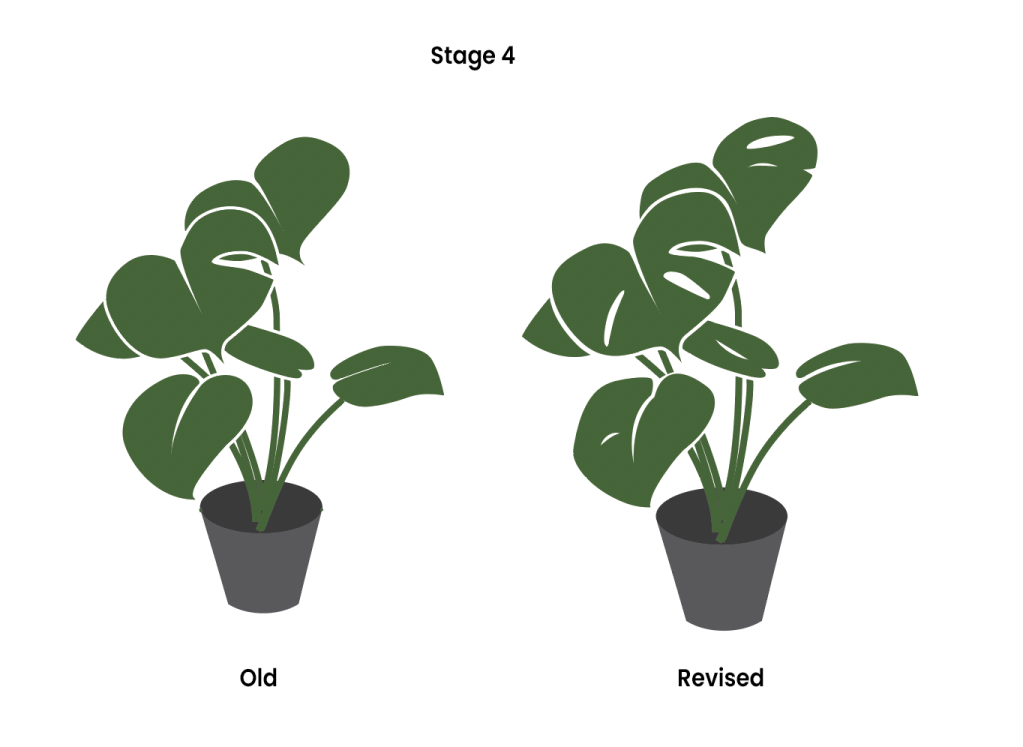
I decided to bring back some of the details of the holes and veins on the leaf to both stage 4 and 5, with the purpose of helping viewers better identify this as a monstera plant.
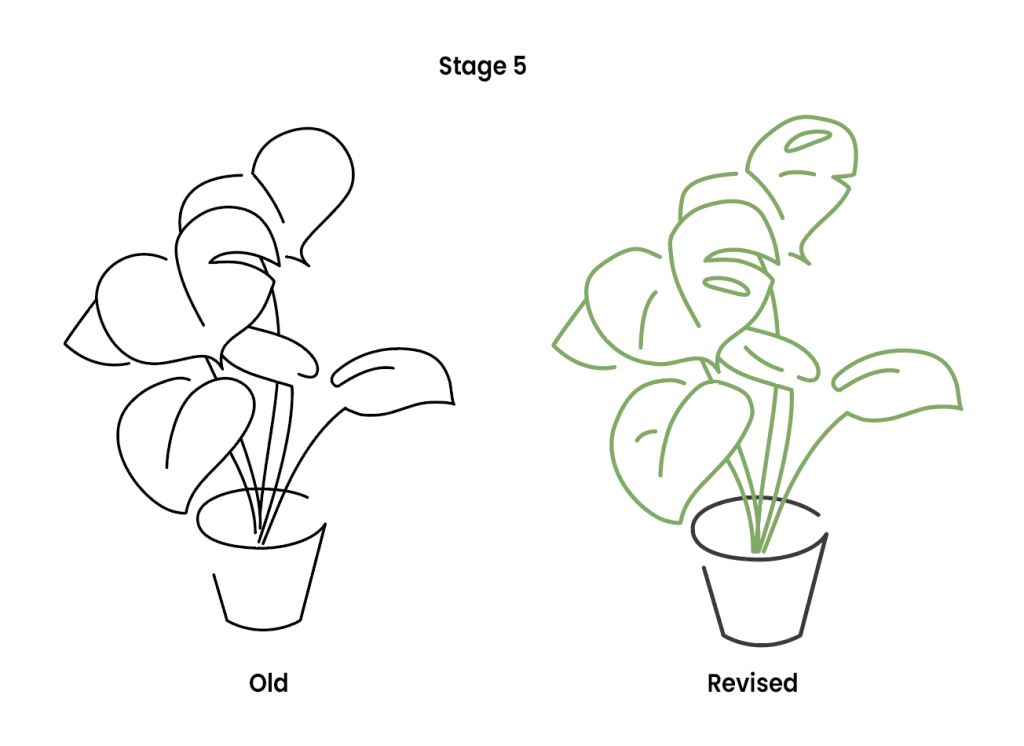
I took up the suggestion of cutting away the intersecting part of the lines. This helped to maintain the depth of the leaves from stage 4. I also took up the suggestion of making the line art on the plant part green to further emphasise that this is a plant.
Workflow

The main tools I used were:
- Pen tool
- Layers
- Outline Stroke
- Shape Builder tool
I used the Pen tool and Layers function to trace the shapes and draw the shadows, with the original image in a locked layer underneath the tracing layer. I used the Outline Stroke function and Shape Builder tool to create the negative space around the leaves in stage 3, instead of leaving them as white outlines.
 Edeline's Design Blog
Leave a comment